Published: 7 Nov 2026



A smooth live casino experience depends on more than the game itself. Your device, browser, internet connection and system settings can all affect how reliably live video and interactive game features perform. Whether you prefer a smartphone, tablet or desktop computer, a few straightforward adjustments can help reduce lag and interruptions.
This online casino guide explains how to prepare your setup so you can make informed decisions about your technology before accessing live dealer games. It is intended as an educational resource, not as encouragement to gamble.
What you’ll learn:
- Which devices are best suited to live casino streaming
- What system specifications to look for
- Which browser settings can improve performance
- How to create a more stable internet connection
- Simple ways to troubleshoot lag and interruptions
- How to keep your setup secure and responsible
Choosing the Right Device for Live Casino
There is no single device that suits everyone. The best option depends on where you play and how much screen space you prefer.
- Smartphones are convenient and portable. Modern iOS and Android phones with reasonably recent processors, updated operating systems and sufficient available storage should handle most browser-based live casino experiences. A larger screen can make video and game controls easier to see, but smaller displays may require more scrolling.
- Tablets offer a useful middle ground. Their larger displays can provide a more comfortable view of the dealer, cards, wheels and other table elements while remaining portable. A recent tablet with a responsive processor and current operating system is generally a practical choice.
- Desktop and laptop computers can offer the most comfortable viewing experience, particularly if you have a larger monitor. They also tend to provide more processing power and connectivity options. For longer sessions, a desktop setup can make it easier to keep the live stream visible alongside other information.
As a general rule, look for a device with a modern multi-core processor, at least 4 GB of RAM and a current operating system. More demanding live streams may benefit from additional memory and graphics capability. These are practical guidelines rather than universal technical requirements, as the specifications required can vary between platforms and games.

Which Browsers Work Best?
A current version of a mainstream browser is usually the safest starting point. Chrome, Safari and Microsoft Edge are all designed to support modern web technologies, although compatibility can vary depending on the particular website and device.
Keeping your browser and operating system updated is important. Apple, for example, distributes Safari updates through its operating-system updates. Microsoft also recommends using current versions of Edge rather than legacy browsers.
Chrome provides performance controls that can help active tabs run smoothly and manage memory use. Its Memory Saver feature can deactivate unused tabs, while specific sites can be kept active when needed.
For the best results:
- Use the latest stable browser version available for your device.
- Close unnecessary tabs, especially those playing video or audio.
- Disable extensions that you do not need.
- Allow essential site permissions when required for the game to function correctly.
- Avoid experimental browser features unless you understand what they change.
If a live stream behaves strangely in one browser, testing the same page in another up-to-date browser can help establish whether the problem is browser-specific.
Optimising Your System Settings
Before starting a live dealer game, give your device a clean environment to work in.
Close resource-heavy applications such as video editors, large downloads and unnecessary streaming services. On laptops, connecting the power supply can also prevent aggressive battery-saving features from reducing performance.
On desktop Chrome, Google's performance settings include options for managing inactive tabs and energy usage. Google notes that Energy Saver can affect gaming and video performance in some circumstances.
Hardware acceleration can also influence video performance. Chrome uses the graphics processing unit for graphics-intensive tasks such as video and games, although hardware acceleration can occasionally cause compatibility problems. If you experience graphical glitches or crashes, testing the setting in the browser's system options may help identify the cause.
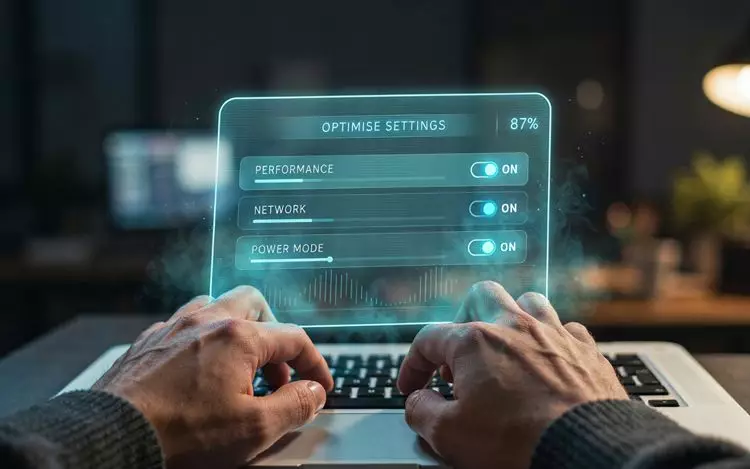
|
If a live stream starts lagging, avoid changing several settings at once. First check your connection, then close unnecessary applications or tabs, and finally test another current browser. Changing one thing at a time makes it much easier to identify the source of the problem. |
Getting a More Stable Connection
A powerful device cannot compensate for an unreliable internet connection. Live video requires a consistent connection, so stability can matter just as much as headline download speed.
Where possible, use a strong Wi-Fi connection close to your router. For desktop computers, an Ethernet connection can provide a more consistent connection than Wi-Fi. If you are using mobile data, make sure you have a strong signal and sufficient data allowance.
You can also improve stability by:
- Pausing large downloads and uploads.
- Closing other high-bandwidth streaming services.
- Moving closer to your Wi-Fi router.
- Restarting your router if connection problems persist.
- Avoiding heavily congested public Wi-Fi networks.
- Checking whether other devices are consuming significant bandwidth.
If the stream repeatedly freezes, check whether other websites or video services are also experiencing problems. This can help distinguish a local connection issue from a problem with the website or service.
Creating a More Immersive Setup
Once the technical basics are covered, small changes can make the viewing experience more comfortable.
A larger screen can make dealer interactions and game information easier to follow. Good headphones or speakers can make spoken commentary clearer, while adjusting screen brightness can reduce eye strain. If you are using a laptop or tablet, positioning the screen at a comfortable viewing height can also help during extended periods of screen use.
These improvements are about usability rather than changing the outcome of a game. The same principle applies whether you are viewing live dealer games, online slots or other table games: your device can affect presentation and convenience, but it cannot make a game more predictable.

If You Still Experience Lag
Persistent problems do not necessarily mean that your device is inadequate. Try these steps in order:
- Refresh the page.
- Check your internet connection.
- Close unnecessary tabs and applications.
- Restart your browser.
- Try another supported browser.
- Restart your device and router.
- Check whether your operating system and browser are fully updated.
- Contact the relevant support team if the problem continues.
UK remote gambling operators are subject to technical standards covering remote gambling systems, including requirements concerning interrupted gambling and live dealer studios. The Gambling Commission also states that remote gambling software made available under its licensing framework must meet applicable technical standards and testing requirements.
Final Thoughts: Build a Setup That Works for You
Prime Casino players can approach live casino technology with the same confidence they would bring to any other digital experience: understand the requirements, keep your equipment updated and troubleshoot problems methodically. A recent smartphone, tablet or computer paired with a current browser and stable internet connection can provide a solid technical foundation.
There is no need to buy the most powerful device available simply for live dealer gaming. Focus instead on reliability, compatibility and comfort. Most importantly, remember that improving your technical setup does not improve your chances of winning. If you choose to gamble, set limits that suit your circumstances, take regular breaks and keep playing responsibly.
|
Gambling should always be approached responsibly. Only participate if you are of legal gambling age, never gamble more than you can afford to lose, and consider using available responsible gambling tools if you feel your play is becoming difficult to control. |
FAQ
What is the best device for live casino games?
A modern smartphone, tablet, laptop or desktop can work well. Desktop and laptop computers generally provide more screen space, while smartphones offer greater portability.
Which browser is best for live casino streaming?
A current version of a mainstream browser such as Chrome, Safari or Edge is a sensible starting point. Compatibility can vary, so if problems occur, trying another updated browser can help.
How can I reduce live casino lag?
Use a stable internet connection, close unnecessary applications and browser tabs, pause large downloads and keep your operating system and browser updated.
Does a more powerful device improve casino game outcomes?
No. A faster device or better connection can improve how smoothly a game is displayed, but it does not alter the underlying outcome of a casino game.